
This guide will help you register an account on Bybit TR easily and efficiently.
Important notes:
- Ensure that the account information and personal information you provide during registration are accurate. The details you provide before the video verification must be exactly the same as the information you provide during the video call.
- Use an email address from a reliable provider to avoid future access issues. We recommend using personal email services such as Gmail, iCloud, and ProtonMail, as company or school email addresses may cause access loss in the future.
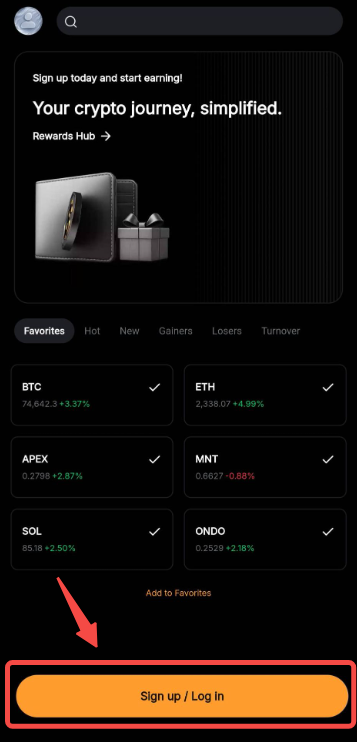
Step 1: Download the official Bybit TR App from Google Play Store or Apple App Store. Once done, launch the Bybit TR App and click on Sign Up/Log In.
You can also get to the Sign Up button by tapping on the Profile icon in the top left corner of the homepage and tap on Sign Up.
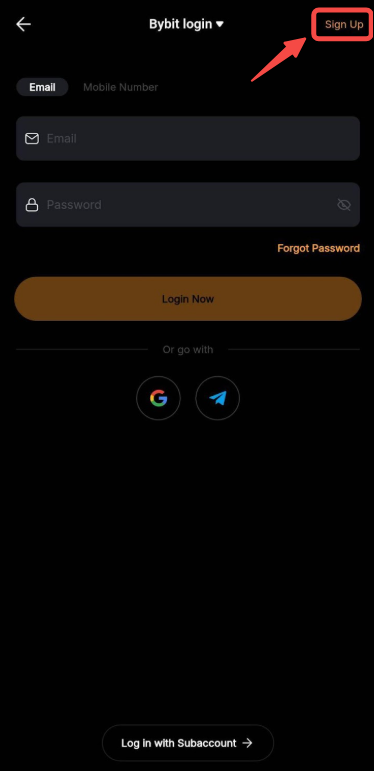
Step 2: If you are redirected to the Login page, please tap on Sign Up in the top right corner of the page.
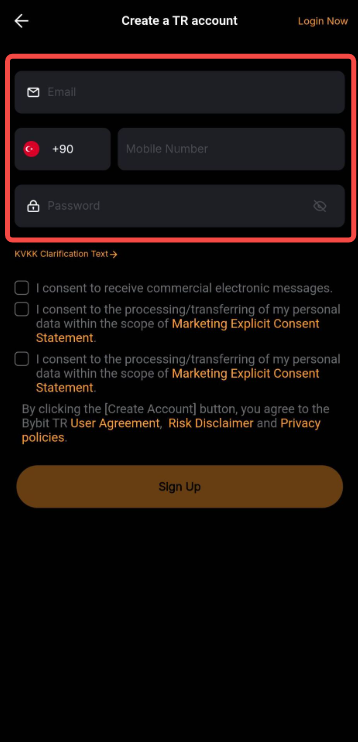
Step 3: To create your Bybit TR account, please enter the following details:
- Email Address
Registration using an email address is mandatory, as Email and Google Authentication are compulsory to make a withdrawal. Please refrain from using an email address from a provider that you may not be able to use in the future due to changes in services or other reasons. We recommend three email service providers: Gmail, iCloud, and ProtonMail.
- Phone Number
Enter your mobile number after specifying the country code, and ensure to omit the leading zero. For example, if your mobile number is 090-1234-5678, enter 9012345678.
- Password
Setup the login password for your account. Please note that your password should be between 8 and 30 characters with at least one uppercase letter, one lowercase letter and one number.
Notes:
— Each email address and mobile number can only be linked to one account.
— Use only Latin letters (A–Z). Turkish characters or special symbols may not be accepted.
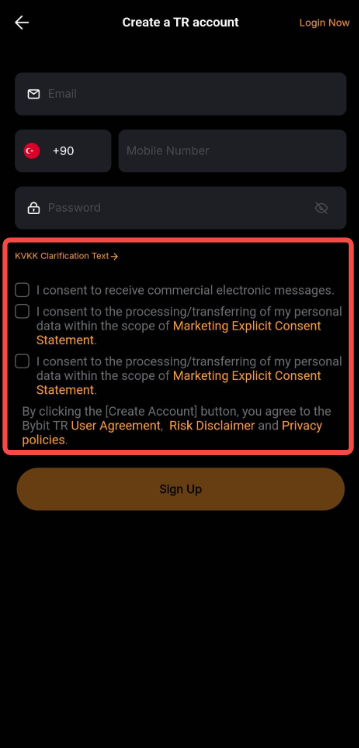
Step 4: Make sure to read and acknowledge the different Terms and Conditions before tapping on Sign Up.
Step 5: Complete the recaptcha verification and after tapping on Get Code, key in the email/SMS verification code sent to your email address or mobile number.
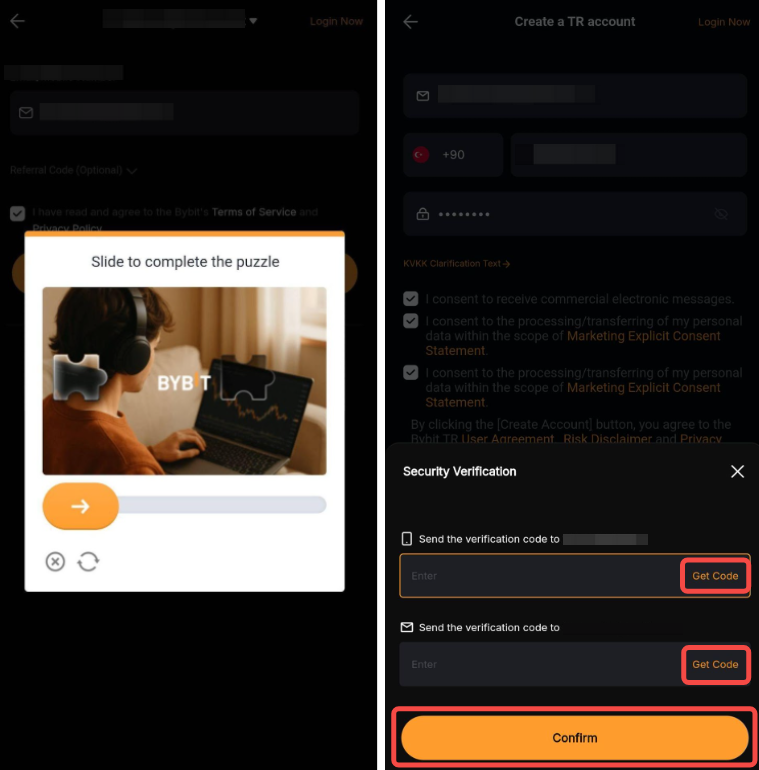
Note: If you encounter any issue with receiving your verification code, please refer to this guide for email verification code troubleshooting and this guide for SMS verification code troubleshooting.
You have successfully registered an account on Bybit TR!
You will be redirected to the homepage, where you will need to complete your Identity Verification to access all of Bybit TR’s products and services. For more details on how to complete Identity Verification on Bybit TR, please consult this guide.