
Take Profit (TP) and Stop Loss (SL) are tools for managing trading risk. A TP order allows you to secure profits, especially in volatile markets. Meanwhile, an SL order helps you limit potential losses.
Difference Between TP/SL Order, OCO Order, and Conditional Order
Similar to OCO and conditional orders, Spot TP/SL allows traders to automatically place buy or sell orders at preset price levels. However, these order types differ in how assets are reserved, as outlined below:
How Spot TP/SL Works
Direct TP/SL via the Order Zone
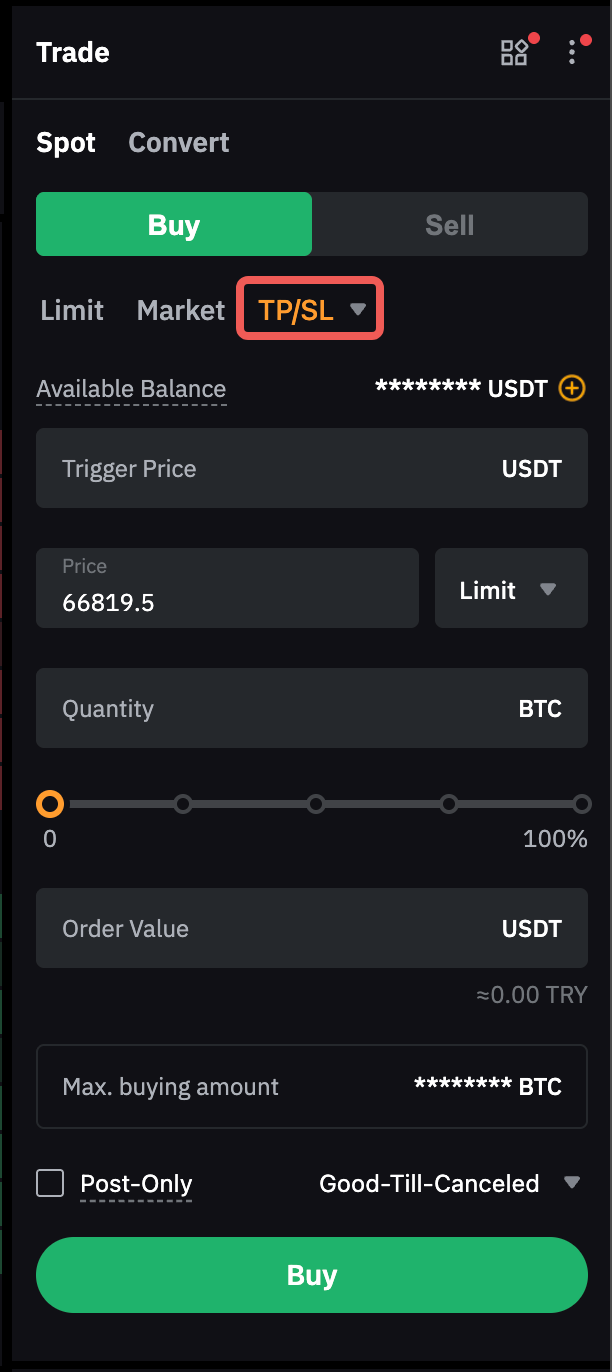
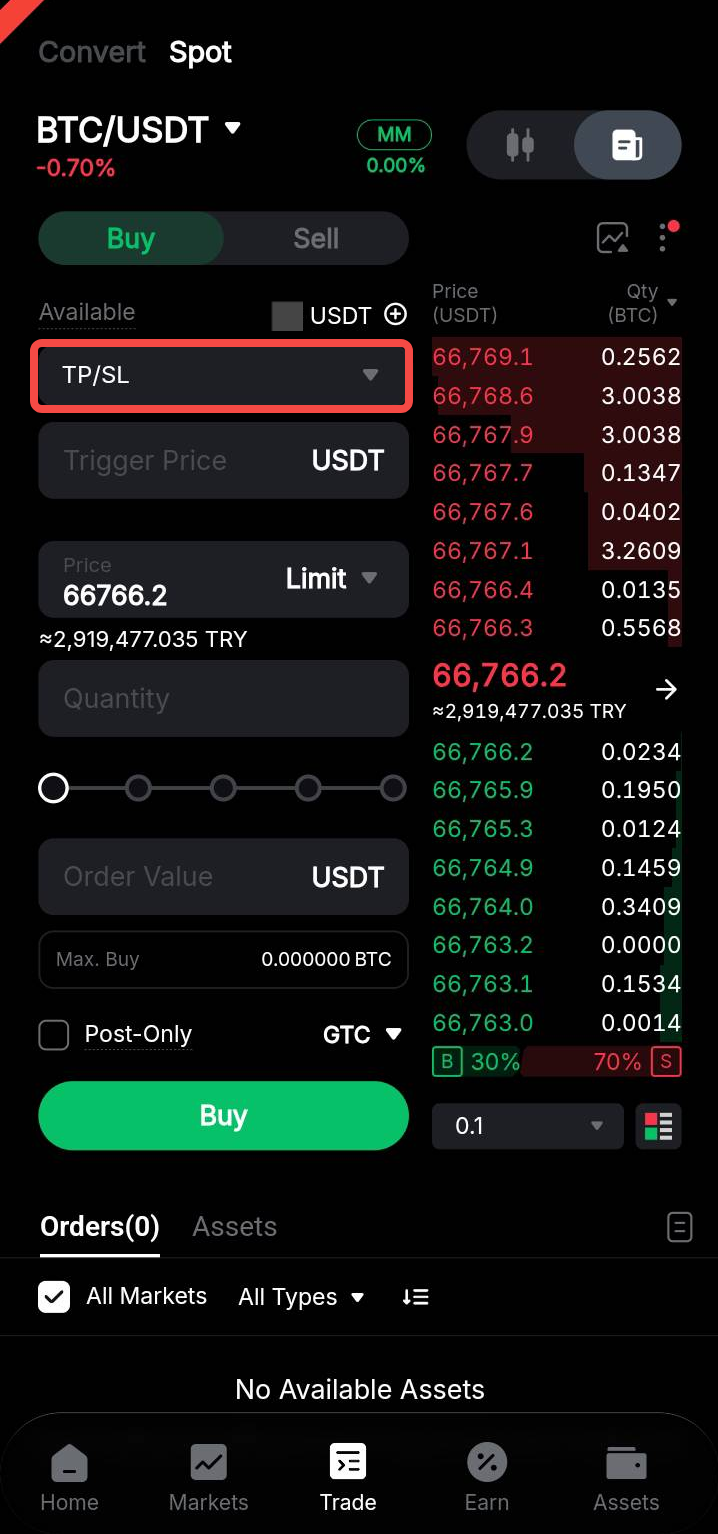
You can set the trigger price, order price (for limit orders), and order quantity for a TP/SL order. Assets are reserved when the TP/SL order is placed. Once the Last Traded Price reaches the preset trigger price, a limit or market order will be placed based on your order settings.
Important Notes:
a. A market order will be executed immediately at the best available market price. All market orders follow the IOC (Immediate-or-Cancel) principle. Any portion that cannot be filled immediately due to insufficient market liquidity or price limits will be automatically canceled.
b. A limit order will be submitted to the order book for execution at the specified order price. If the best bid/ask price is better than the order price, the limit order may be executed immediately at the best available price. Limit order execution is not guaranteed and depends on price movements and order book liquidity.
Example
Assuming the current BTC price is 20,000 USDT, the following examples illustrate how TP/SL orders work with different trigger and order prices.
Preset TP/SL With a Limit Order
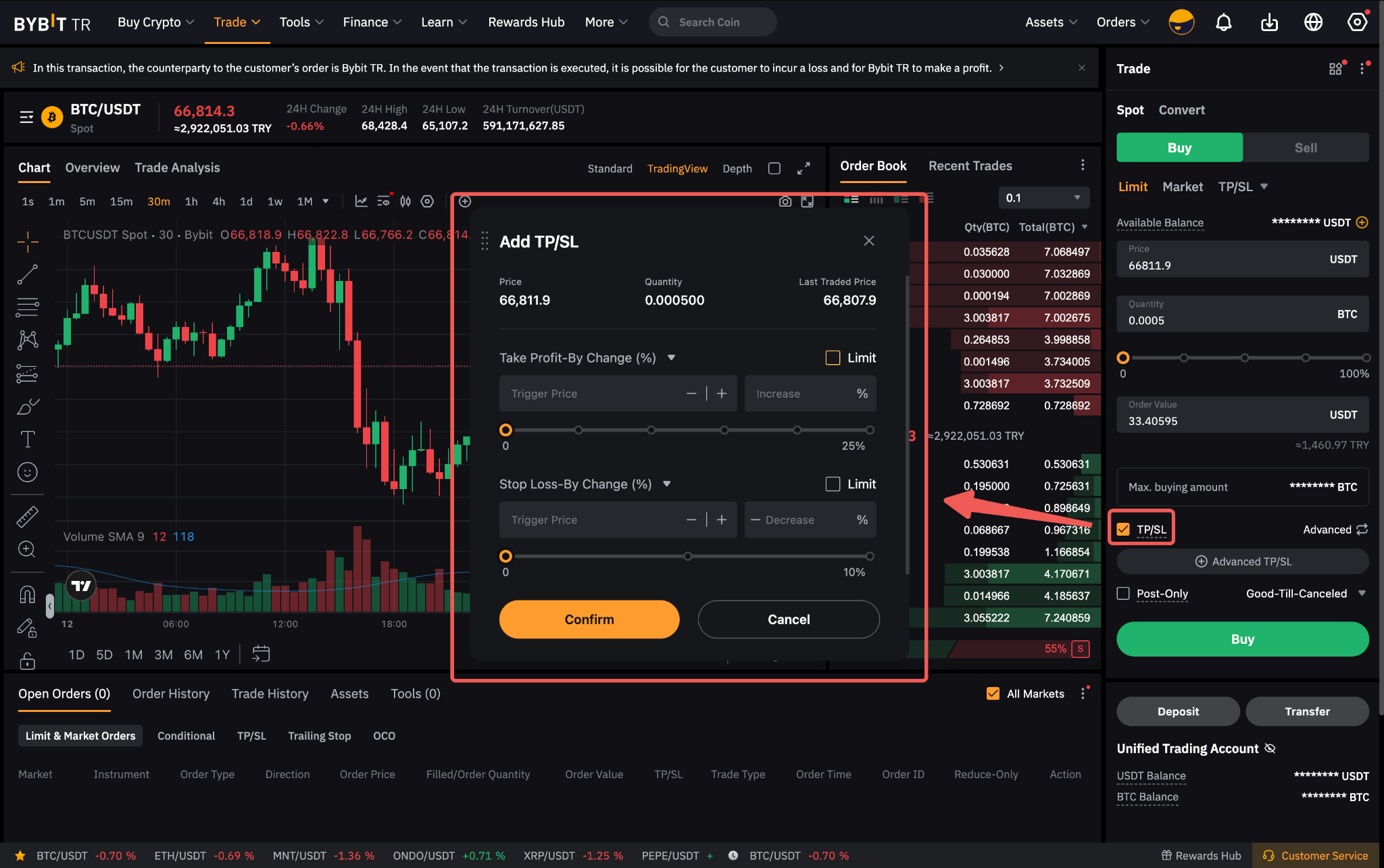
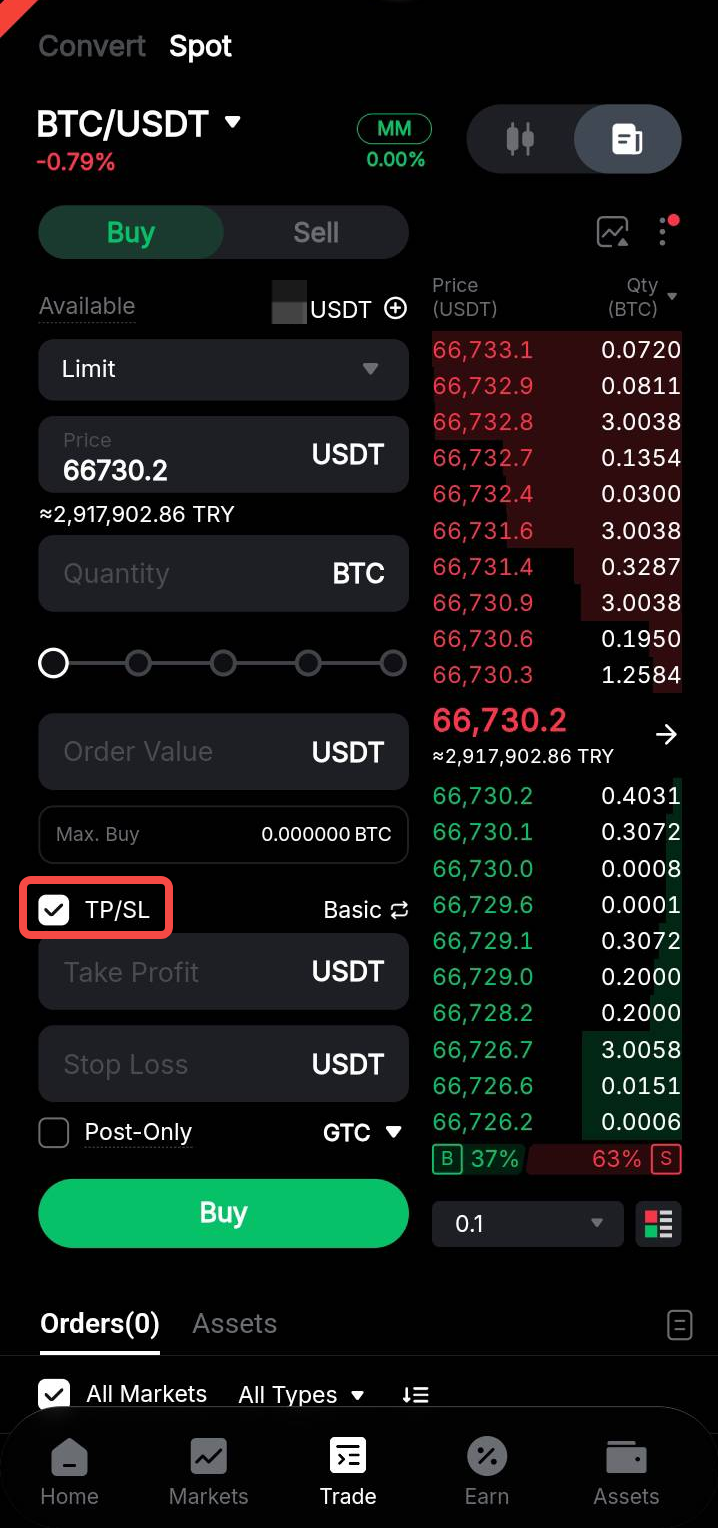
When placing a limit order, you can also preset TP/SL orders. Once the limit order is executed, the preset TP/SL orders are automatically placed based on the specified trigger prices and order quantity.
Unlike standalone TP/SL orders, which reserve assets immediately upon placement, TP/SL preset with a limit order follows the One-Cancels-the-Others (OCO) principle. Assets are reserved only for one side at a time. This allows you to preset both TP and SL as market or limit orders for the same asset. When one order is triggered, the other is automatically canceled.
For limit TP/SL orders, once either the TP or SL is triggered, the other order is canceled immediately, even if the triggered order has not been filled. This may increase risk during sudden price reversals, as the triggered limit order may remain unfilled while the other order has already been canceled.
Example
Trader A places a BTC limit buy order at 40,000 USDT and presets TP/SL as follows:
- Limit order price: 40,000 USDT
- Order quantity: 1 BTC
- TP limit: Trigger price at 50,000 USDT, and order price at 50,500 USDT
- SL market: Trigger price at 30,000 USDT
Assuming the BTC price reaches 40,000 USDT and the limit order is filled, the preset TP/SL orders are placed.
Scenario 1: The BTC price rises to 50,000 USDT. The TP is triggered, and a limit sell order at 50,500 USDT is placed in the order book for execution. The SL order is automatically canceled.
Scenario 2: The BTC price falls to 30,000 USDT. The SL is triggered, and a market sell order is placed. The 1 BTC is sold at the best available market price.
Important Notes:
a. For a TP/SL sell order attached to a Spot limit buy order, the TP trigger price must be higher than the limit order price, while the SL trigger price must be lower.
b. For a TP/SL buy order attached to a Spot limit sell order, the TP trigger price must be lower than the limit order price, while the SL trigger price must be higher.
c. For limit TP/SL orders, the order price must be within the price limit applicable to the trigger price. For example, if the price limit for BTC/USDT is 3%, the TP/SL buy order price cannot exceed 103% of the trigger price, while the TP/SL sell order price cannot be lower than 97% of the trigger price. Refer to the Spot Trading Rules for the price limits of each symbol.
d. If the order amount or value does not meet the minimum order requirement after the limit order is filled, the TP/SL order may not be placed or executed when triggered.
e. Spot limit and market orders have different maximum order sizes. If you attempt to preset a TP/SL market order when placing a limit order whose quantity exceeds the maximum market order size, the limit order will be rejected. For example, if the maximum limit order size is 1 BTC and the maximum market order size is 0.5 BTC, a 1 BTC limit order with a preset TP/SL market order will be rejected.