
Mainnet account username URL: https://www.bybit.tr/app/user/account-info
Testnet account username URL: https://testnet.bybit.tr/app/user/account-info
To check your account UID on the website:
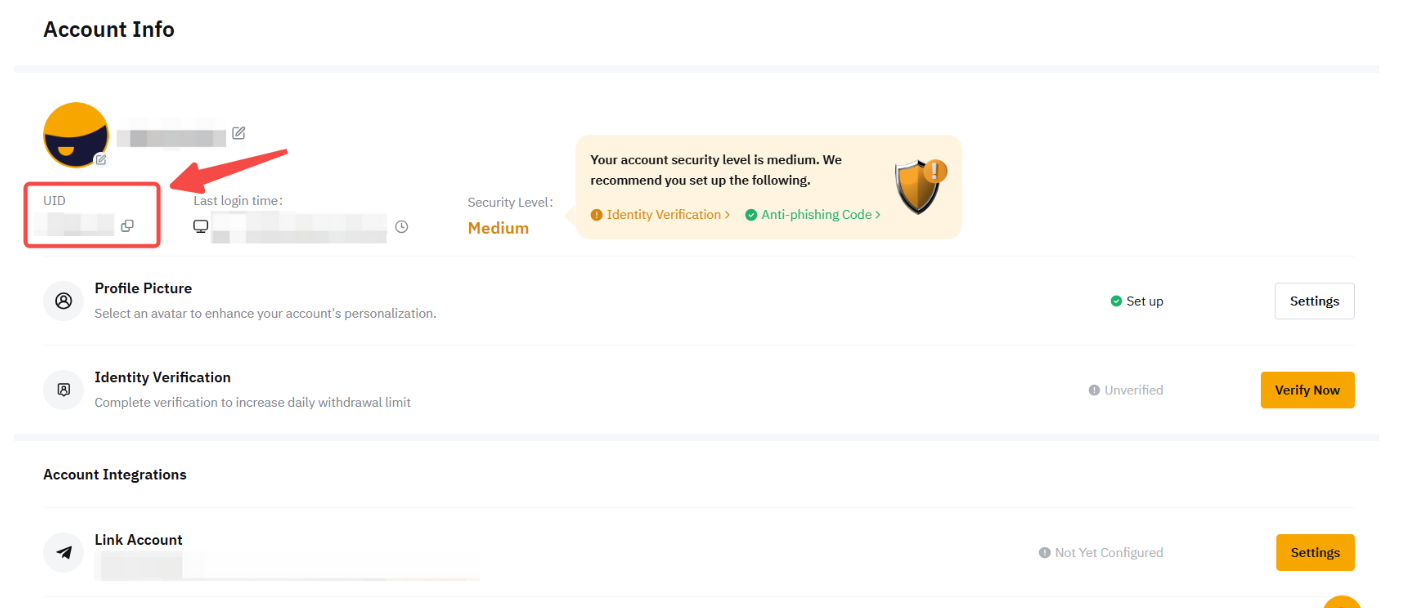
Method 1: Click on the link above to enter your account's settings page. Perform a login if prompted, and you will be able to see your UID here.
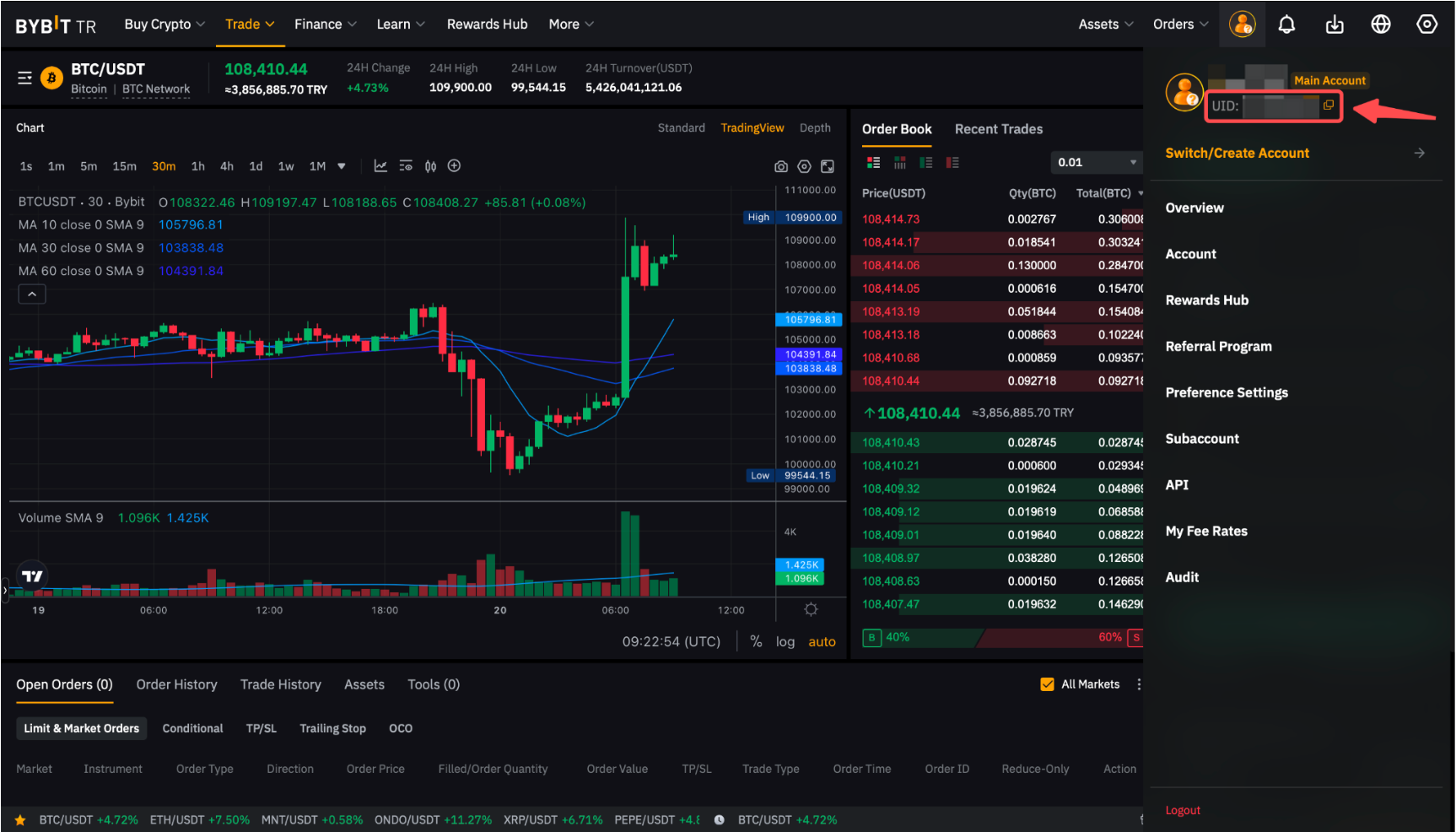
Method 2: From the top right corner of any Bybit TR webpage, navigate your cursor to the “Profile” icon, and you will be able to see your UID from the dropdown menu.
You have successfully located your account UID!