
On Bybit TR, you can keep track of the movement of your funds in your account via your Funding Account history page.
Accessing Your Account History Page
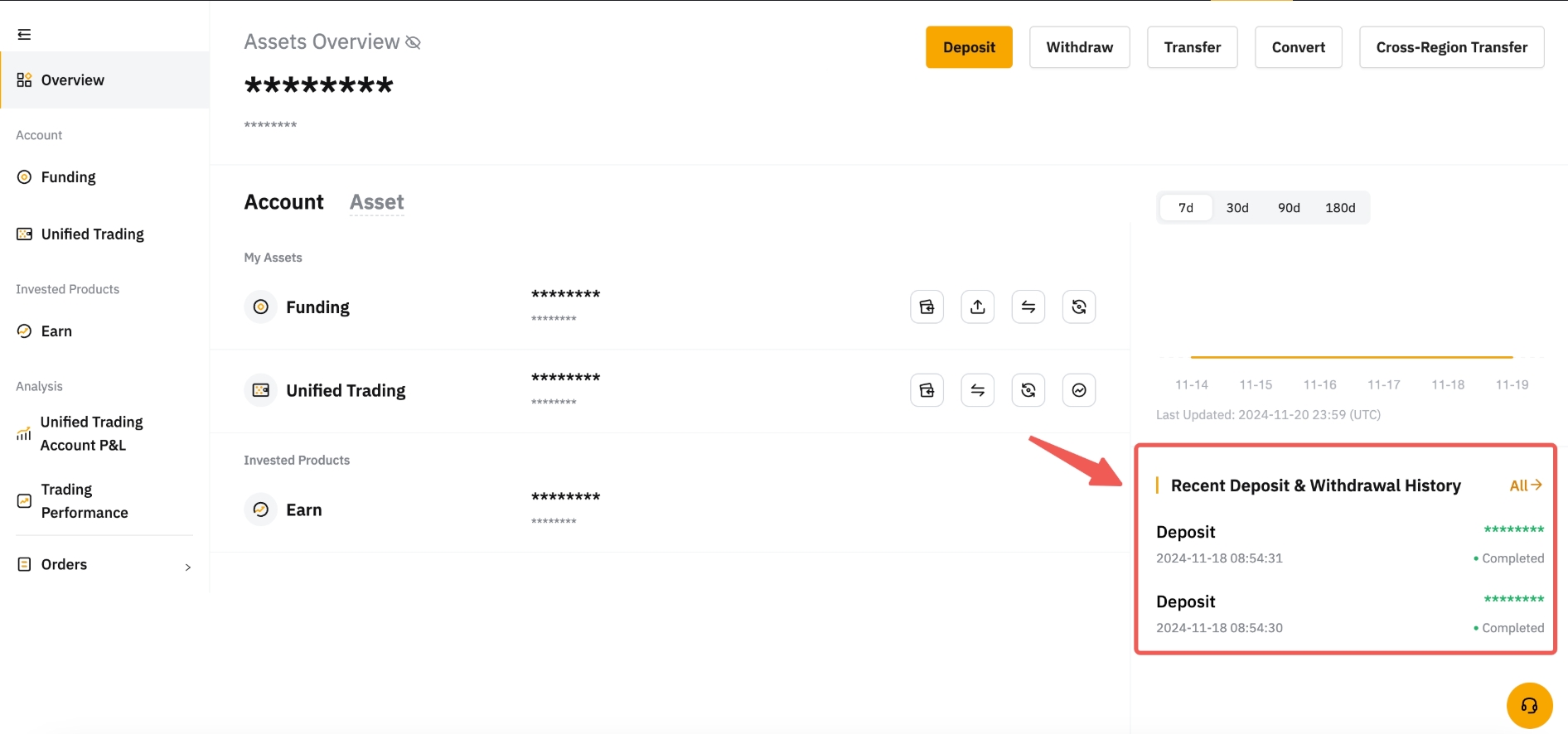
To view your deposit and withdrawal history, click on Assets in the top right corner or select your Funding Account in the Assets menu.

On your Account page, simply click on the History button to be directed to your Funding Account history page.
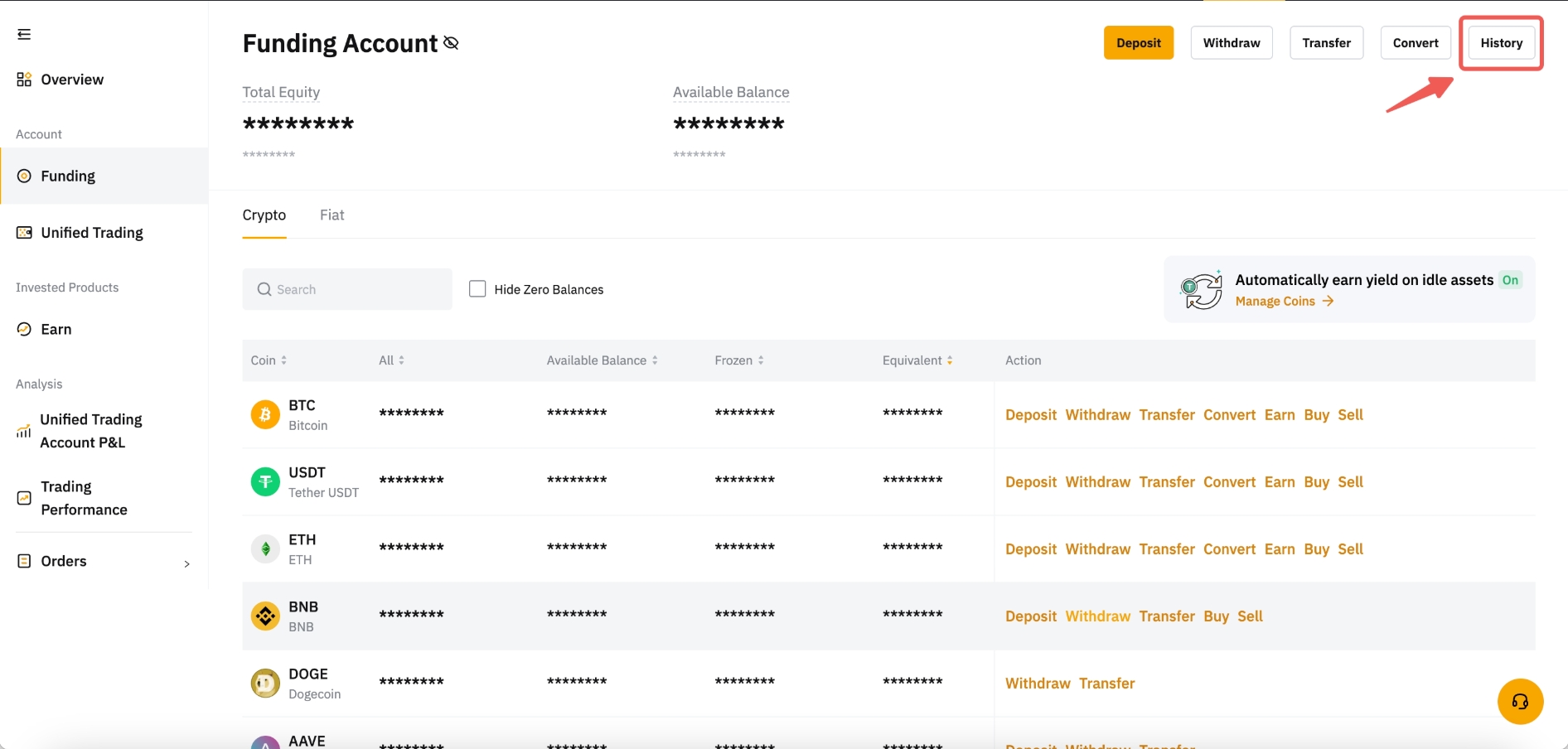
Then, you can click on Deposit or Withdraw in the menu below your History tab to access your deposits and withdrawal history.

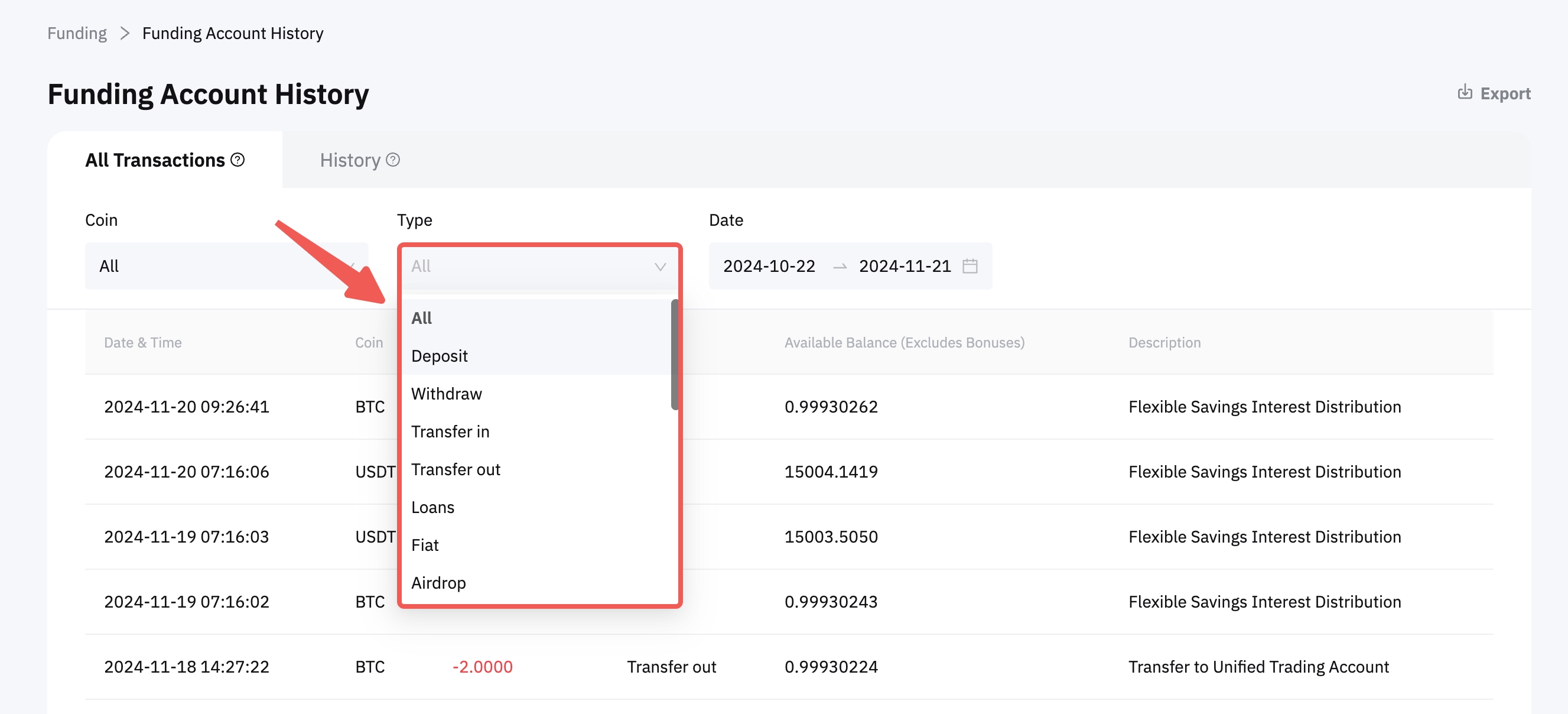
Note: Only your deposit and withdrawal history from the last 90 days will be shown in the All Transactions tab. Selecting either Deposit or Withdrawal in the Type menu will filter the results accordingly.
Understanding Your History Page
Your Funding Account History page is organized into tabs to facilitate the tracking of your funds' movement.
Deposit
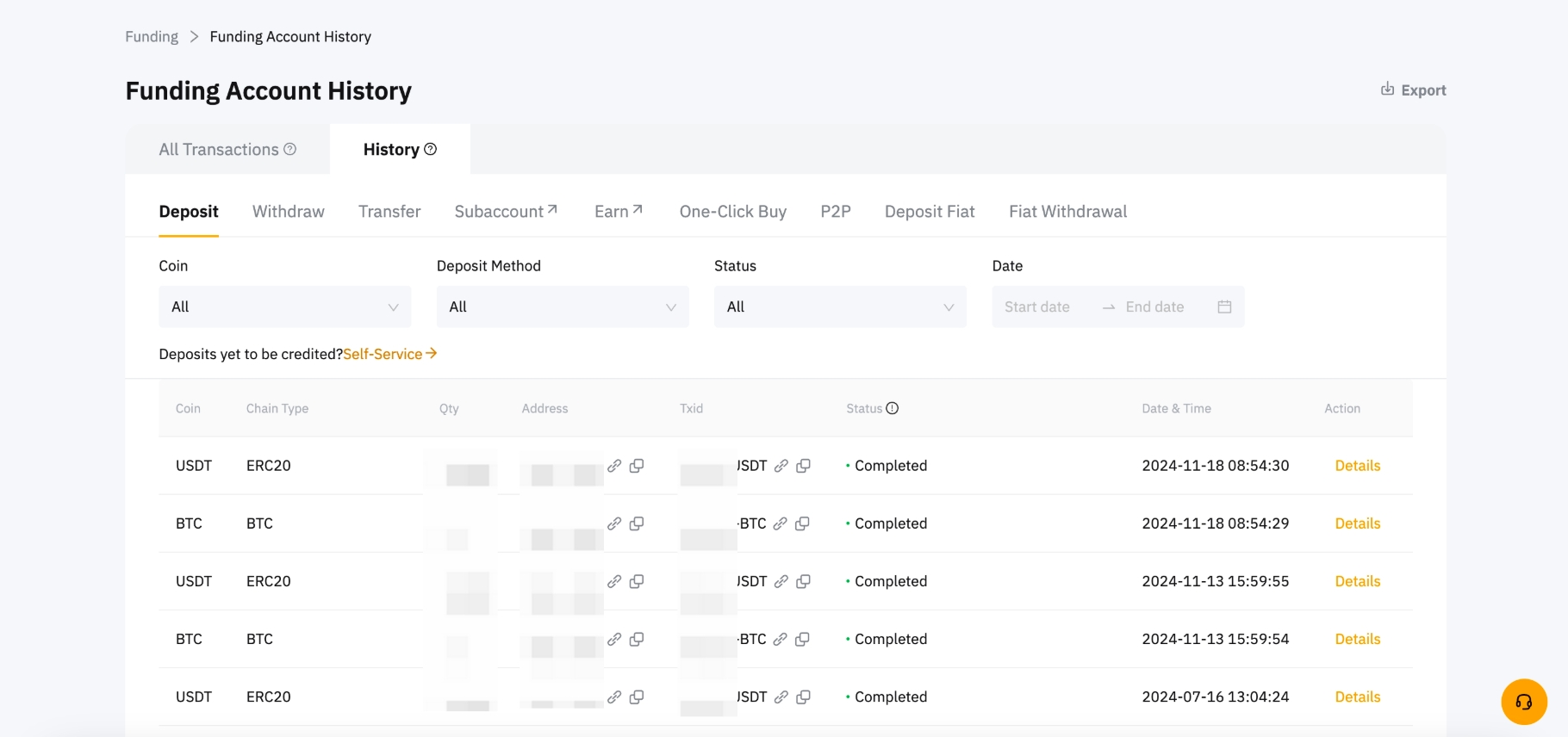
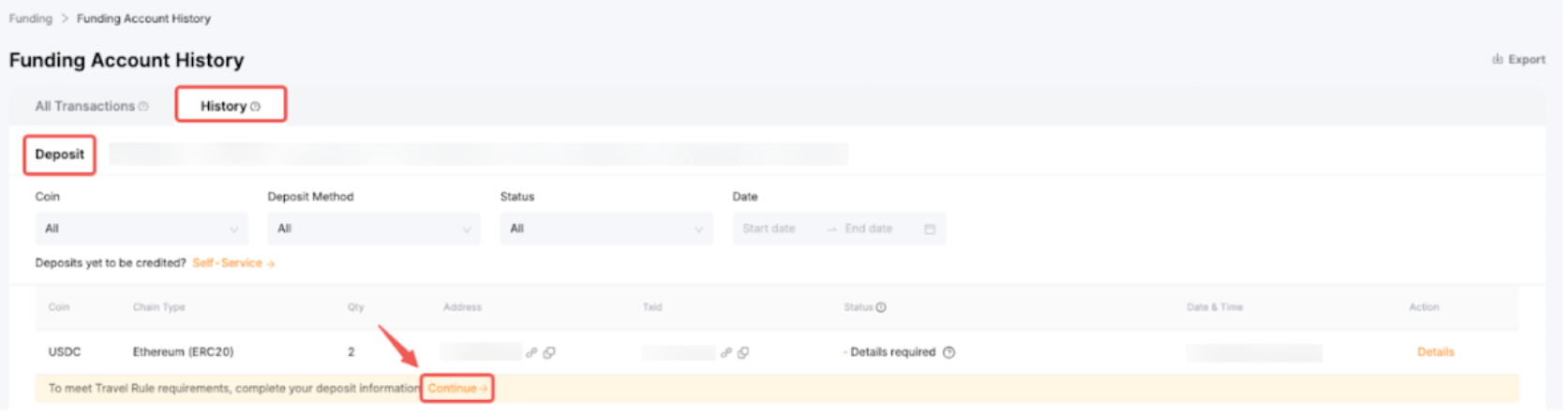
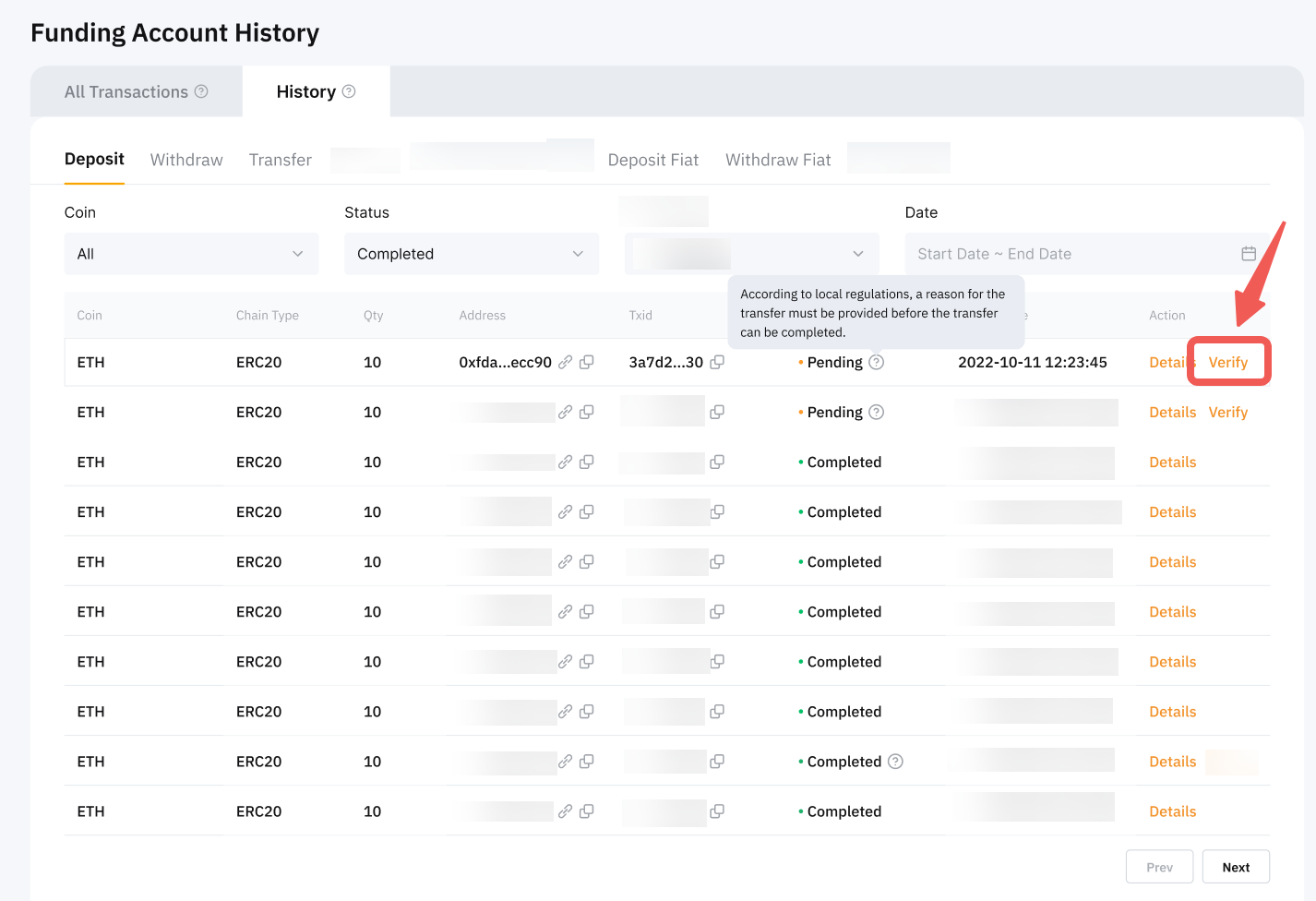
In the Deposit tab, you can review your deposit information and its current status. The following details are accessible for your verification:
- Your Coin, Chain Type, Quantity, and Date & Time
- The Deposit Address (Your Bybit TR deposit address)
- The Status. Refer to the table below for the possible statuses:
Notes:
— The Action column displays various actions available for ongoing withdrawals.
— If you are not able to locate your deposit information in your deposit history, it is possible that your transaction was not deposited into your Bybit TR account. In such instances, please refer to our FAQ here to request your deposit recovery.
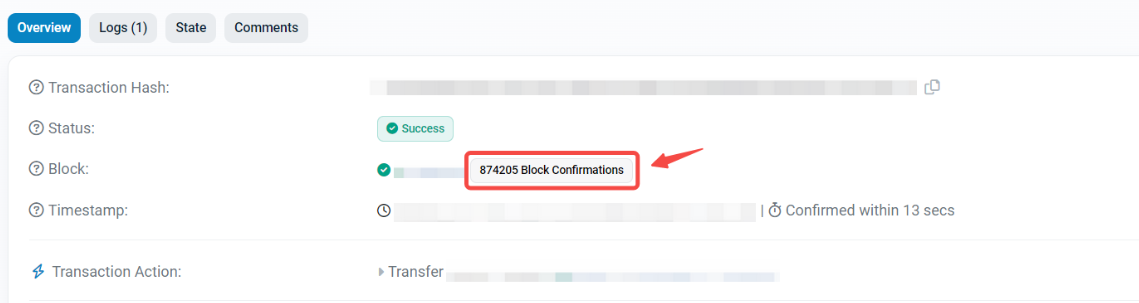
— To check the current blockchain confirmation, click on the URL icon to directly open the transaction page on the blockchain website. Alternatively, click on your transaction’s Details button to retrieve the TXID of your deposit, enabling you to verify the number of confirmations on the blockchain website.

You will find the current block confirmations in the Transaction Details.
— Bybit TR has different deposit confirmation requirements for each coin and blockchain. To check the number of confirmations required for your deposit, please visit this page.
- The Action column displays various actions available for ongoing deposits. Once the deposit is completed, the Details button will indicate the TXID of your transaction, along with the account type in which the funds have been credited.
Withdrawal
In the Withdrawal tab, you can review your withdrawal information and its current status. Since the withdrawal history is categorized by withdrawal methods, please ensure you select the correct withdrawal method to view the transaction details of your withdrawal.
For On-Chain Withdrawals, the following details are available for your verification:
- Your Coin, Chain Type, Quantity, Transaction Fee, and Date & Time
- The Withdrawal Address (the address of your destination wallet)
- The TXID and withdrawal status. Refer to the table below for the possible statuses:
Notes:
— The Action column displays various actions available for ongoing withdrawals.
— For Internal Withdrawals, there will not be any TXID as internal transfers are conducted within the Bybit TR platform and do not require passing through any blockchains.
— If your withdrawal status on Bybit TR shows Withdrawal Completed, but you haven’t received it on the recipient exchange, you can provide the withdrawal TXID to the Customer Support team of that exchange and they will assist you in your fund recovery.
— If you have received a refund from another exchange and wish to credit the refunded amount into your Bybit TR account, please follow this guide.
If you would like to save your Deposit and Withdrawal history, please refer to the following articles: