
To support document updates due to address changes, Bybit TR provides a self-update Proof of Address (POA) service, allowing you to update your documents without resetting your existing KYC verification.
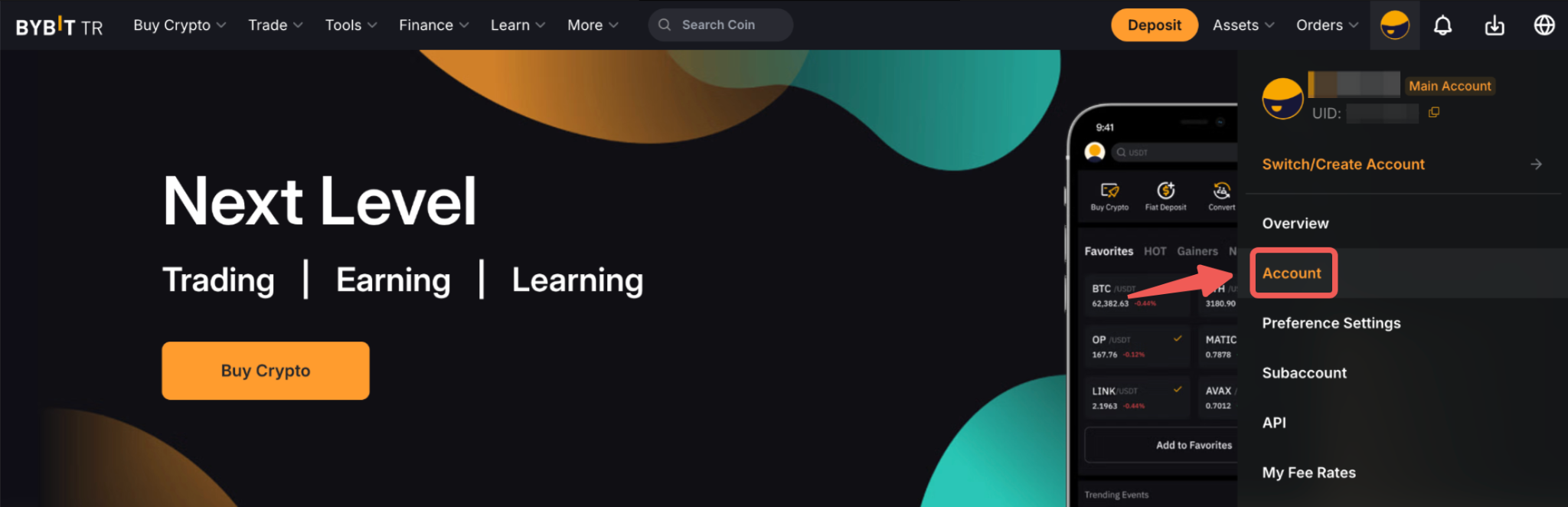
Step 1: Hover your cursor over your profile icon and click on Account. Next, select the Identity Verification page and tap Update Info.
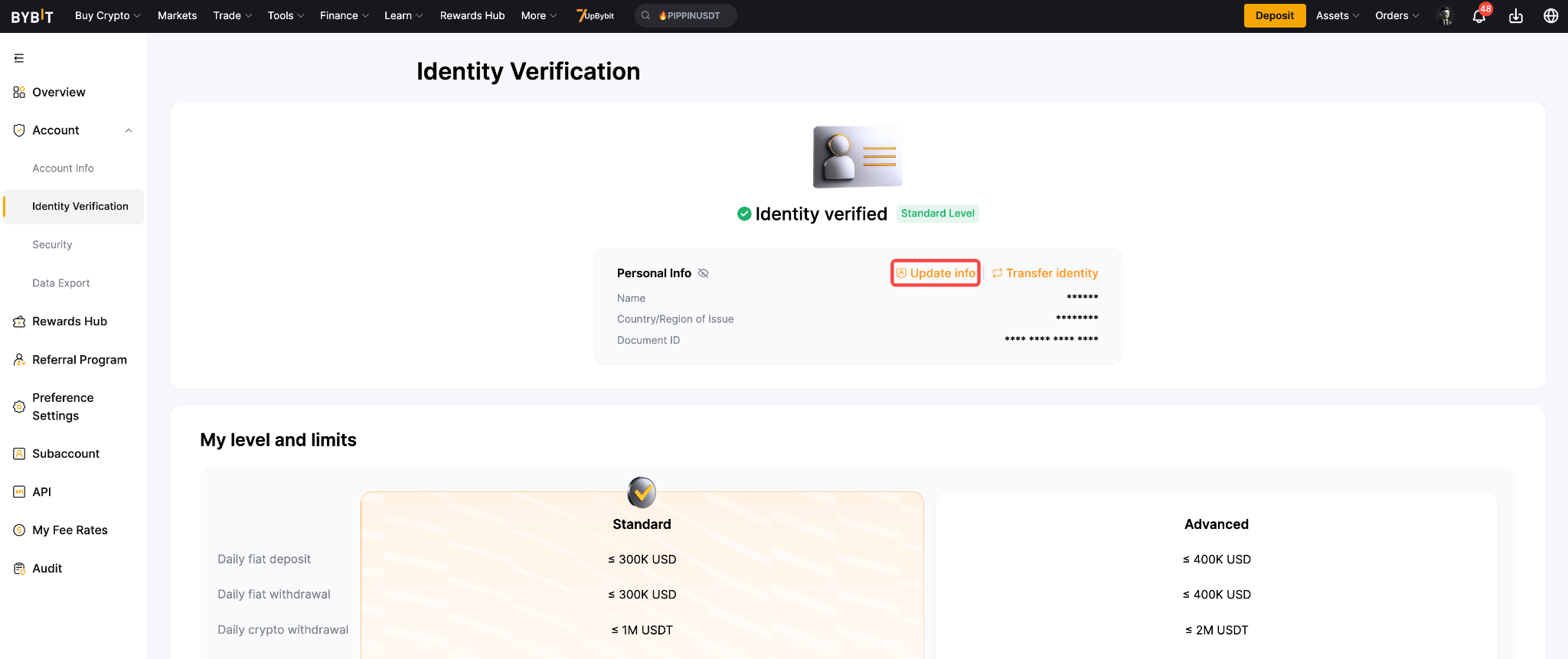
Step 2: Select Proof of Address.
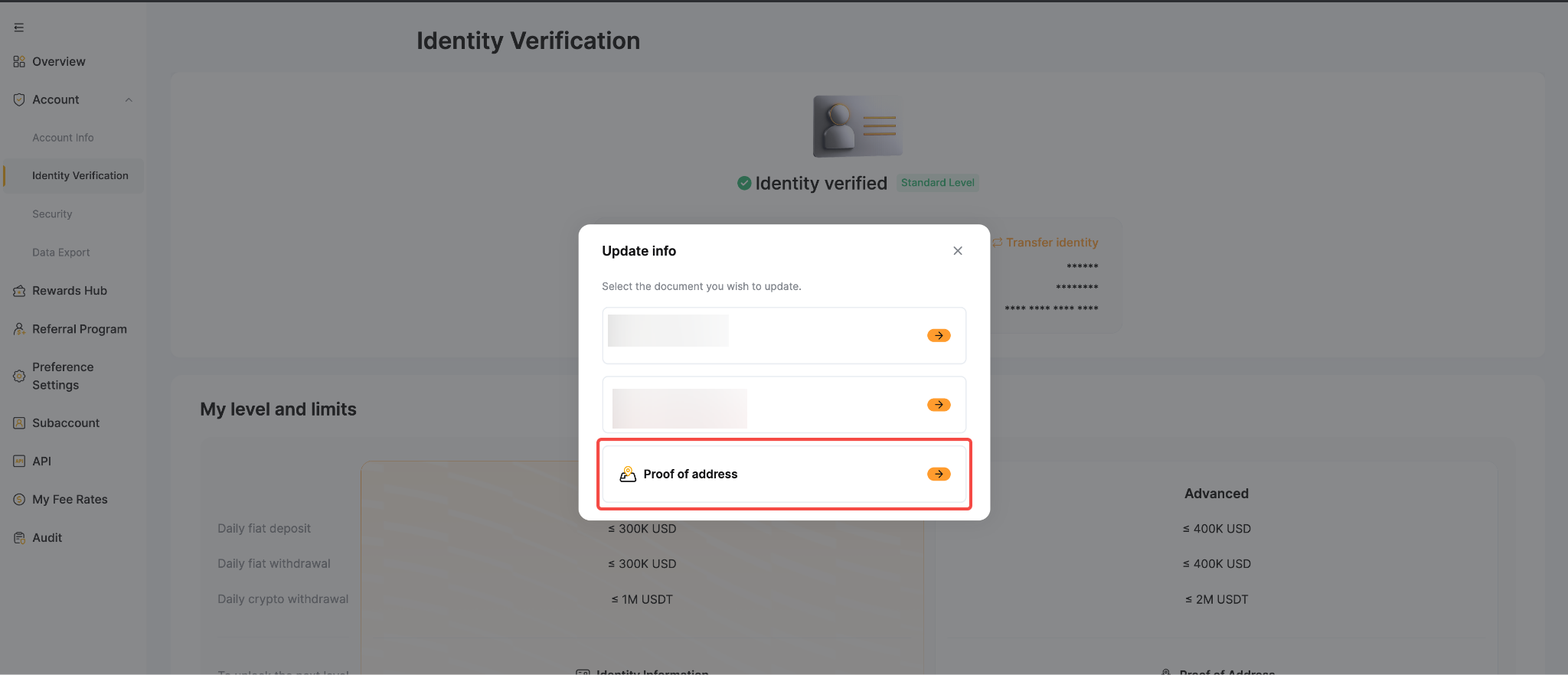
Step 3: Choose the reason for updating your address document. Read and acknowledge the disclaimer by ticking the checkbox, then tap Confirm to proceed.
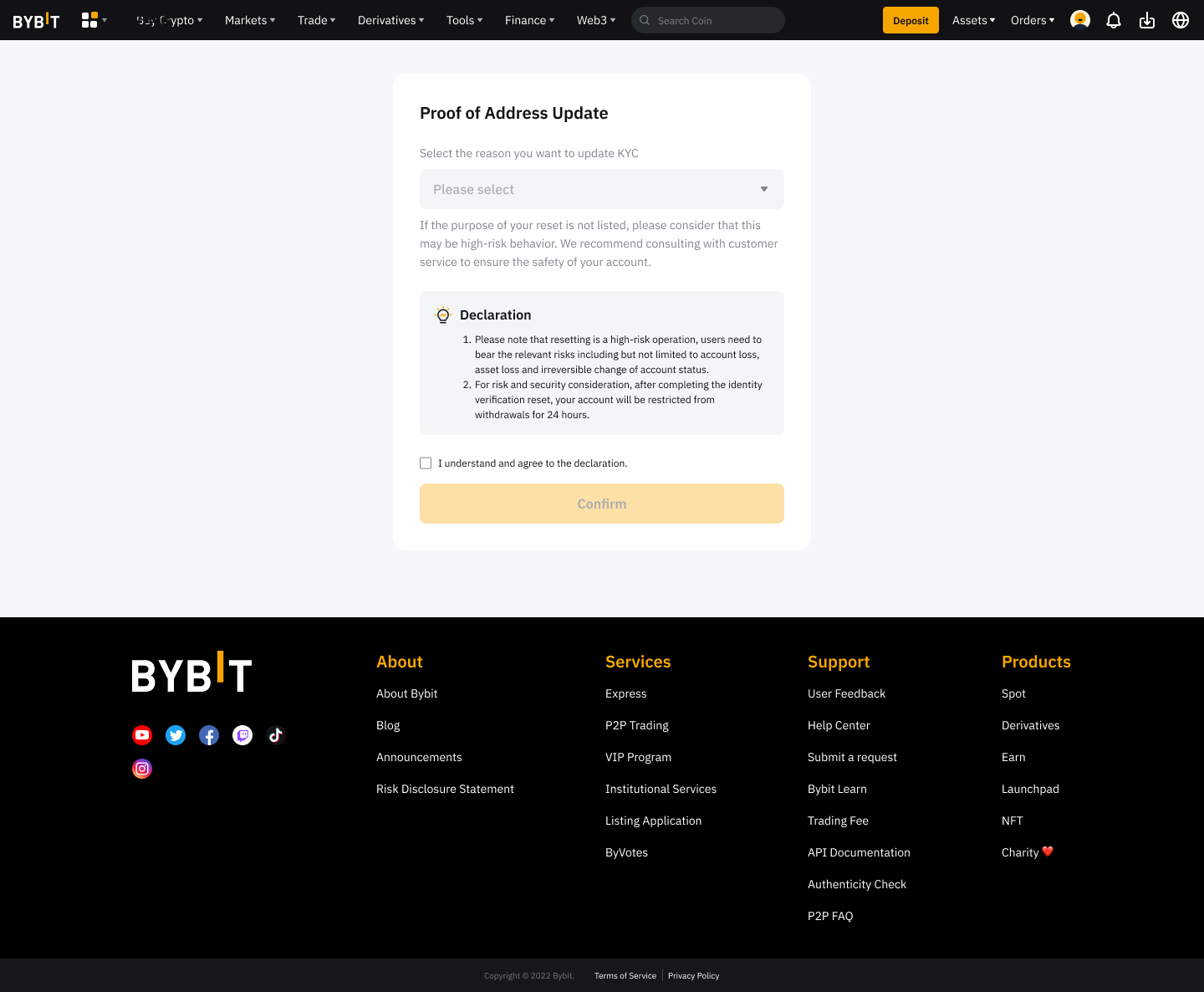
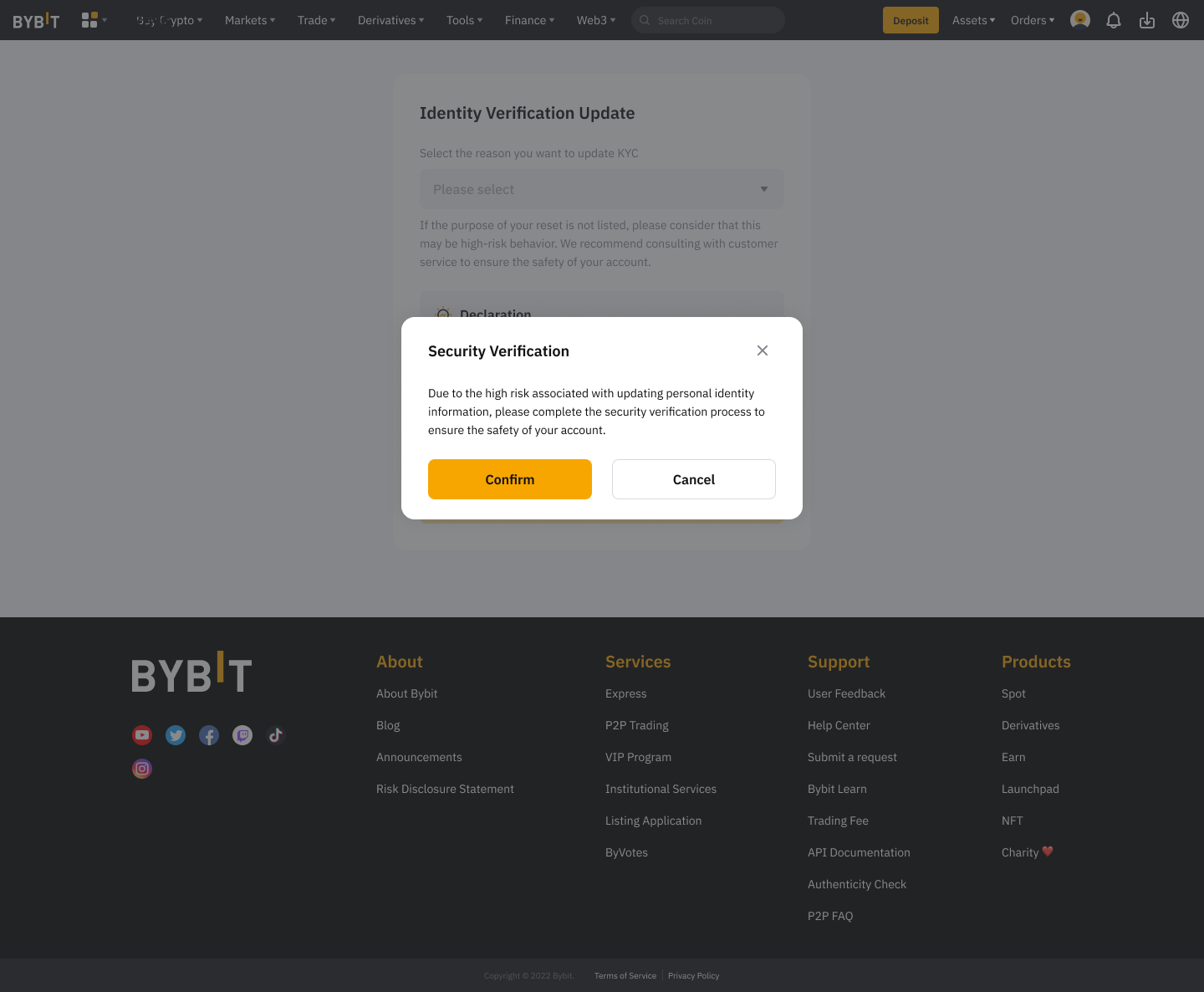
Step 4: Tap Confirm and follow the on-screen instructions to complete the Security Verification process.
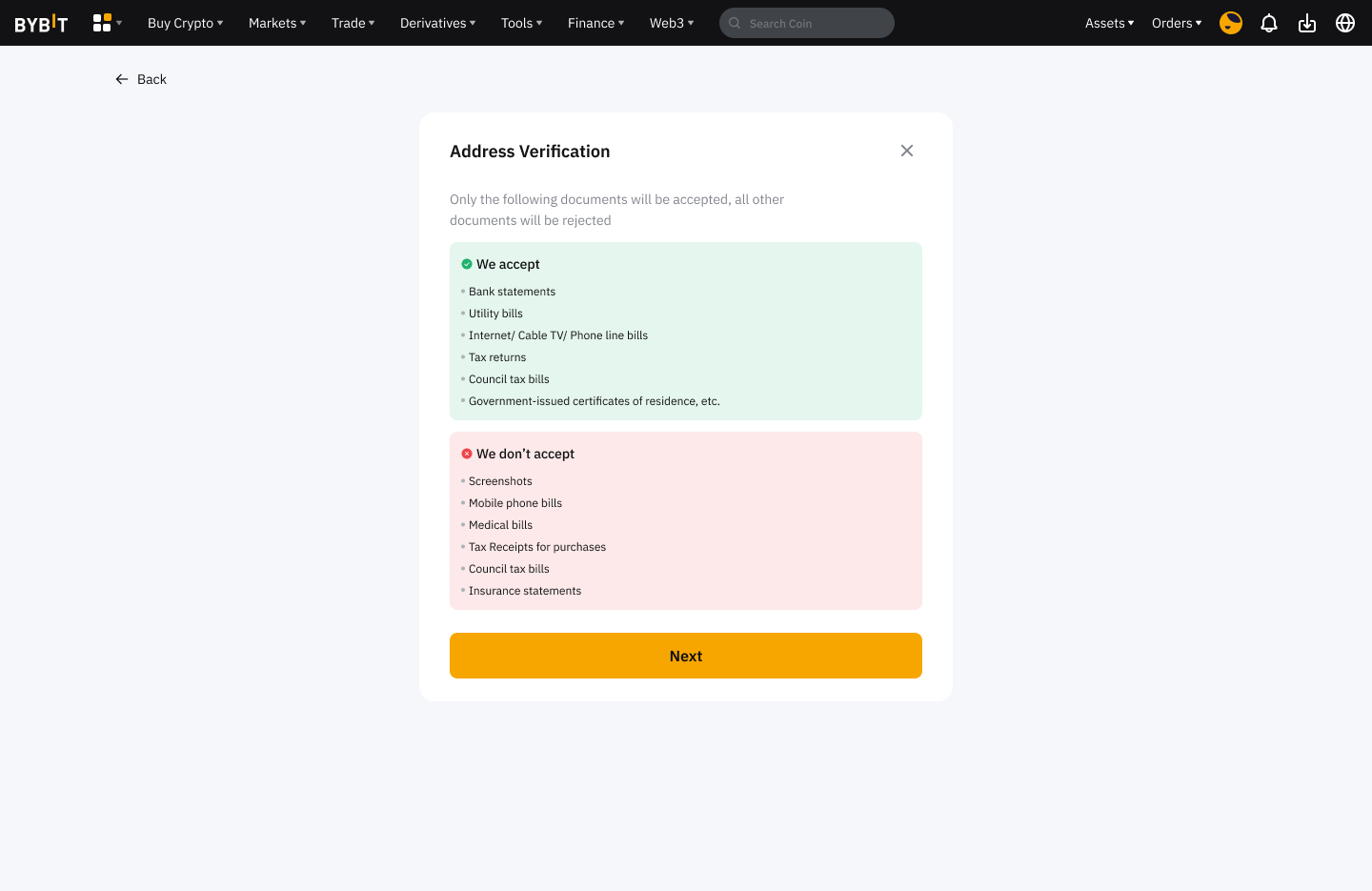
Step 5: Tap Next to submit your updated Proof of Address by completing the Advanced Verification process as usual.
Notes:
- The update process takes approximately 15 minutes.
- Please ensure all information and documents provided are accurate and valid to avoid verification delays.
- You can only update your Proof of Address after completing your Advanced Verification.
- After updating your Proof of Address (POA), you must wait 180 days before submitting another update request.