AI Summary
Show More
Quickly grasp the article's content and gauge market sentiment in just 30 seconds!
Detailed Summary
Bybit TR is a cryptocurrency trading platform that supports over 200 trading pairs and complies with local regulations for Turkish traders. This article explains how to close a Spot trade position using either the Market or Limit Order types in detail. In Spot trading, closing a trade means selling the asset you hold. You can only close a trade if you already hold the asset, either from a previous purchase or from a deposit into your account. This is done by placing a Sell order using either a Market or Limit Order type.
Key Takeaways:
Closing Spot trading positions via mobile and web is possible with Bybit TR
Traders can close their positions partially or fully using order types such as Market and Limit
Method 1: Close a Spot trade with a Market Order
A Market Order is a popular order type that allows users to close a trade by selling immediately at the current market price based on available liquidity.
Website/App
1. Log in to your account via the official Bybit TR website or the Bybit TR mobile app (download from Google Play or the App Store). Click on the Spot tab in the Trade category on the homepage.
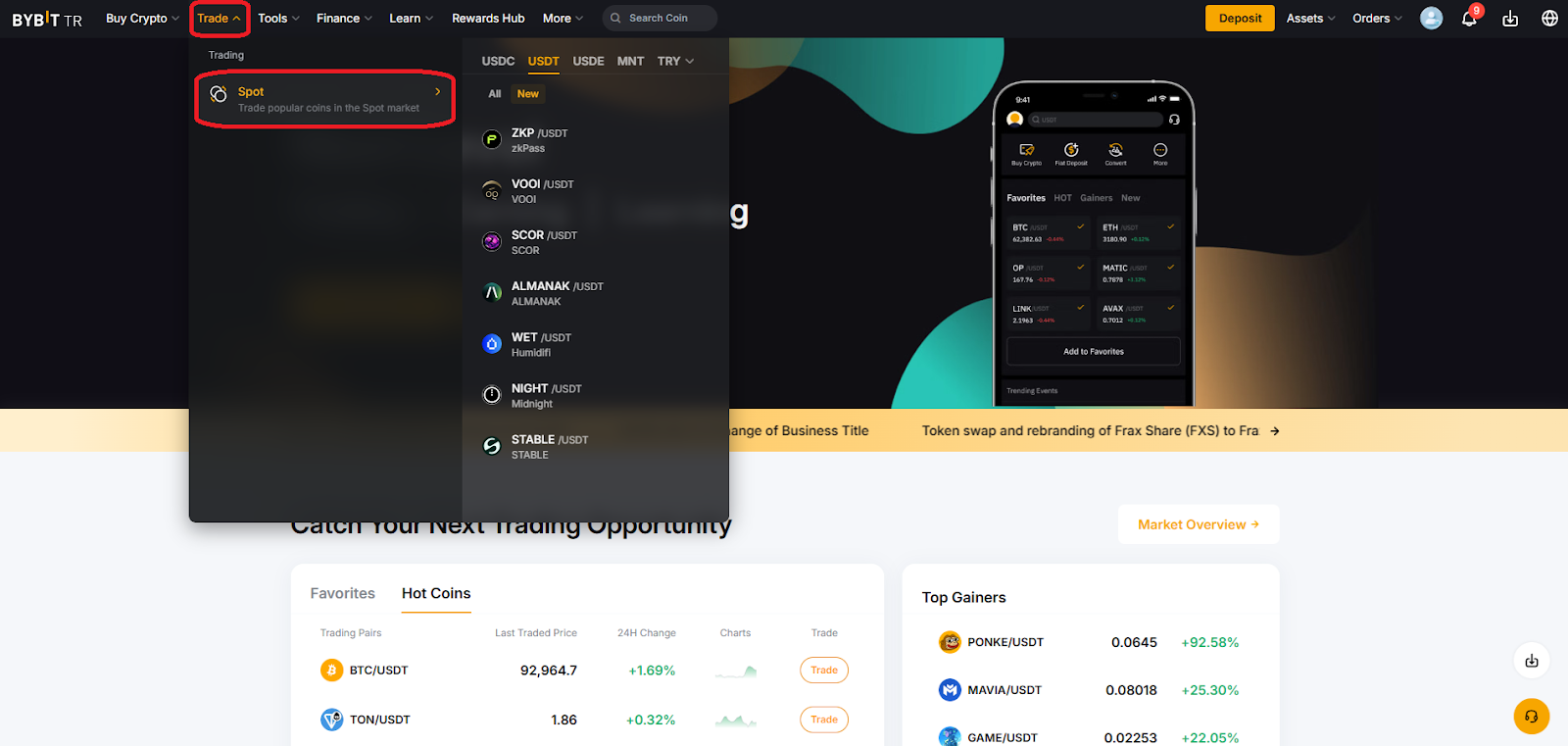
2. Select your preferred trading pair (e.g., ETH/USDT) for closing.
3. Click on the Sell button at the top of the block on the right side of the pair chart, and select Market as the order type.
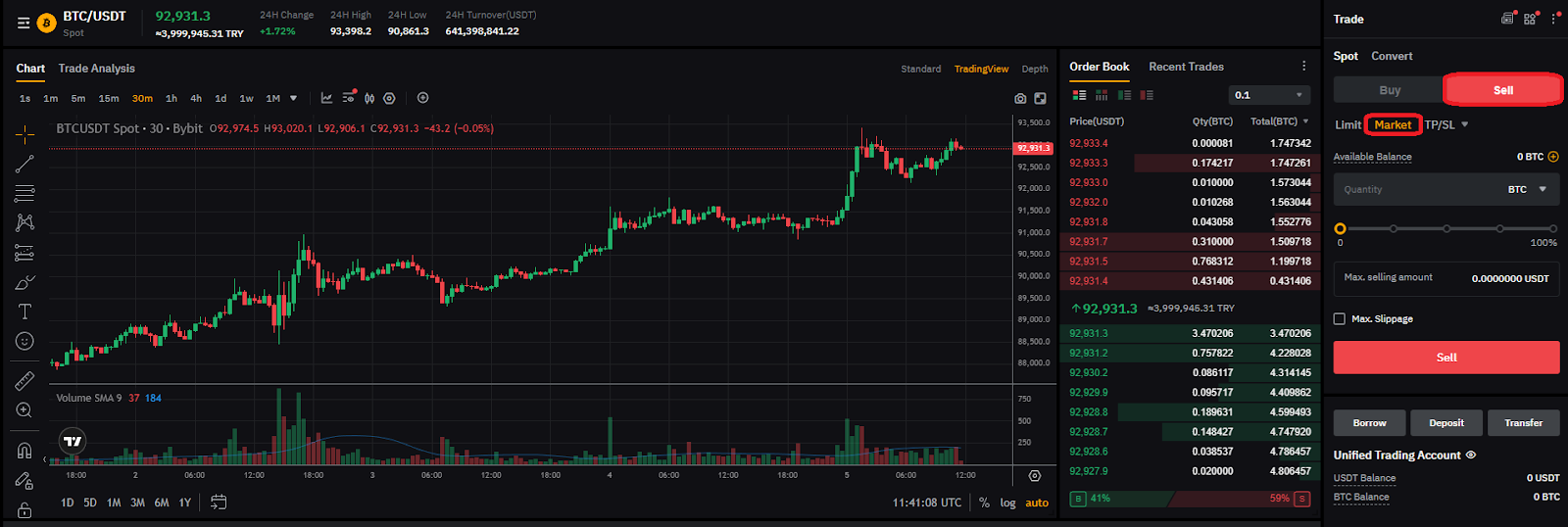
4. Enter the amount or the percentage you want to sell.
5. After confirming that your selections are correct, click on the Sell button to complete your closing transaction.
Method 2: Close a Spot trade with a Limit Order
A Limit Order is an order type that’s executed when the target price set by the trader is reached. If a Buy Limit Order is placed above the current market price, or a Sell Limit Order is placed below the current market price, the order may be filled immediately.
Website/App
1. Log in to your account via the Bybit TR website or the Bybit TR app (download from Google Play or the App Store).
Click on the Spot tab in the Trade category on the homepage. On mobile, the Spot tab will automatically open.
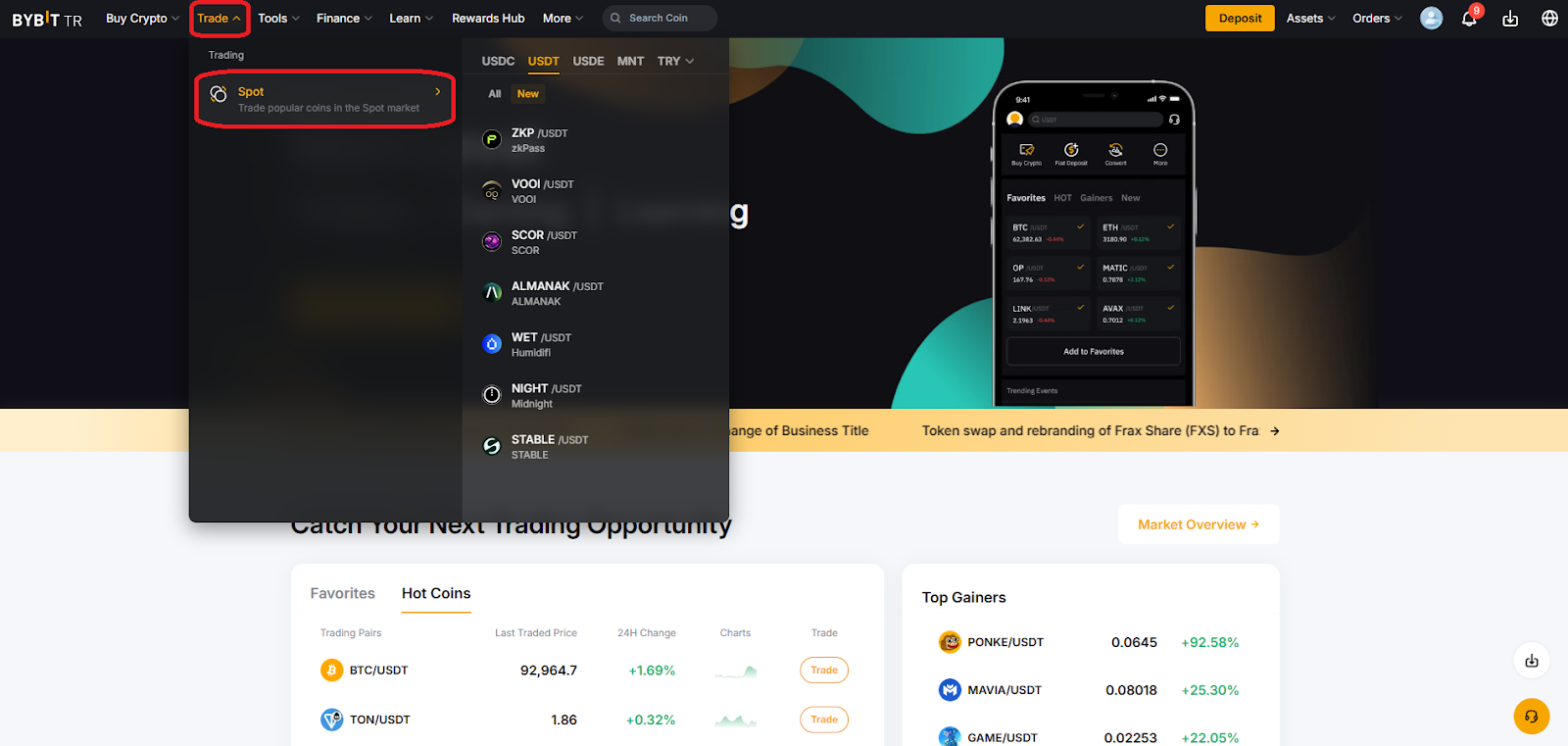
2. Now, select your preferred trading pair (e.g., BTC/USDT) for closing.
3. Click on the Sell button at the top of the Trade block located on the right side of the pair chart, and select Limit.
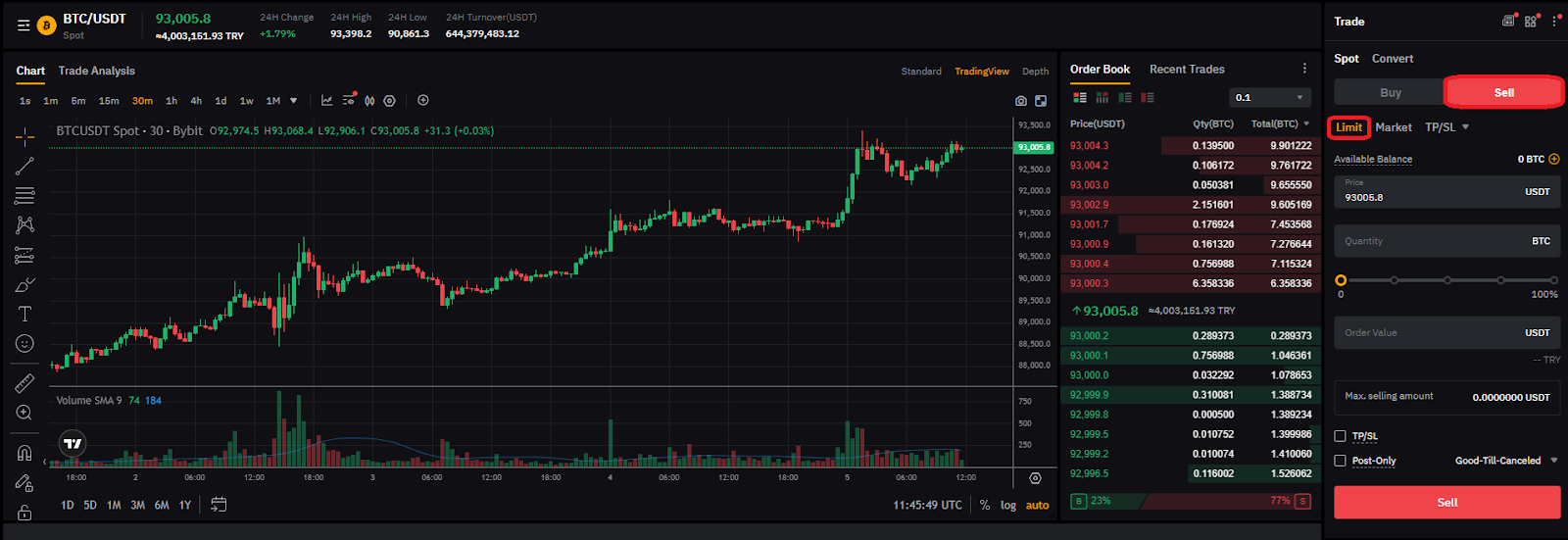
4. Enter the amount or the percentage you want to sell.
5. Lastly, click on the Sell button to complete your sale.
Partial vs. full closure
Partial closure allows users to sell a part of their position to rebalance their asset holdings or manage risk while maintaining exposure to the remaining position.
Full closure means selling 100% of your assets. After full closure, your transaction is completely closed.
Track your closed trades
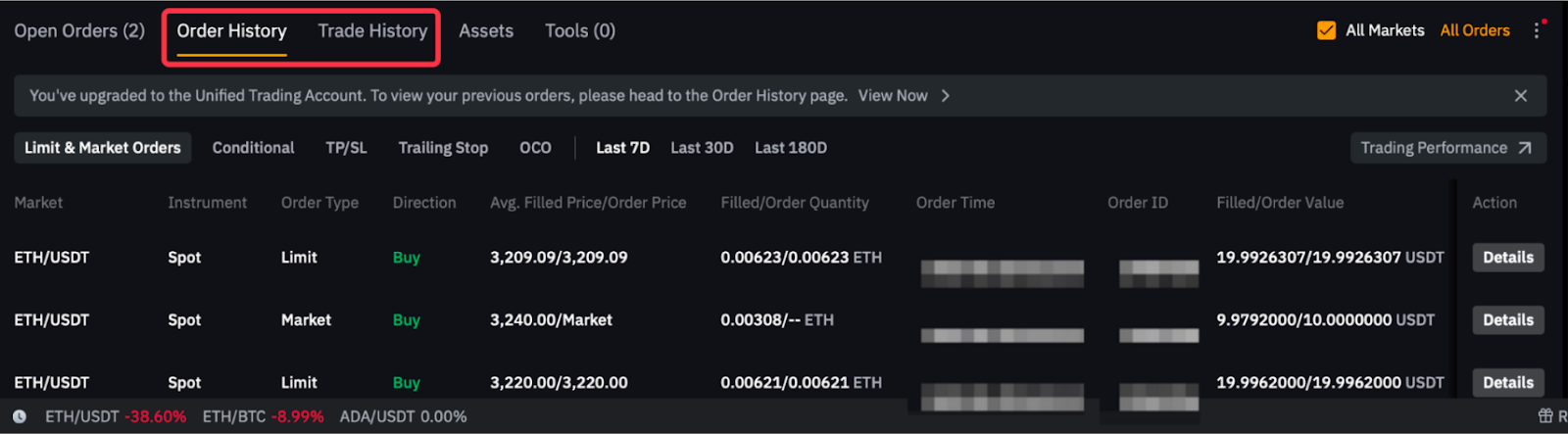
Order History: This section lists closed trades. It can be viewed in the Order History or Trade History tab, located in the block below the currency pair chart on the Spot page.
Assets: This is the page where the balance after sales can be checked. On mobile, it can be accessed via the navigation bar, while on the web it can be seen by clicking on Assets in the header.
Conclusion
Bybit TR supports traders in closing their Spot orders using different order types, such as Market or Limit. You can close your order via both the web and mobile. Note that a transaction fee is applied on each executed order, including both opening or closing trades. Transaction fees are charged based on your VIP level.
#LearnWithBybit
Disclaimer: The above content is strictly for informational purposes only. Content published by Bybit TR shall not, under any circumstances, be construed as financial advice, nor is Bybit TR advocating users to invest in any form of crypto assets. Information about any product or service published on Bybit TR’s website or application shall not be considered as redirection to purchase such product or service. Users intending to use the mentioned products or services are advised to seek professional guidance before making any investment and to carefully assess potential risks in deciding whether to use such products or services. Content prepared by Bybit TR for the purpose of providing news or informational updates about crypto asset service providers established abroad shall not be construed as redirection to these platforms, nor as marketing of their products or services. This content may be translated into other languages. In any case of translation inaccuracy, the English version will prevail.